02 · Article
On this page14 sections
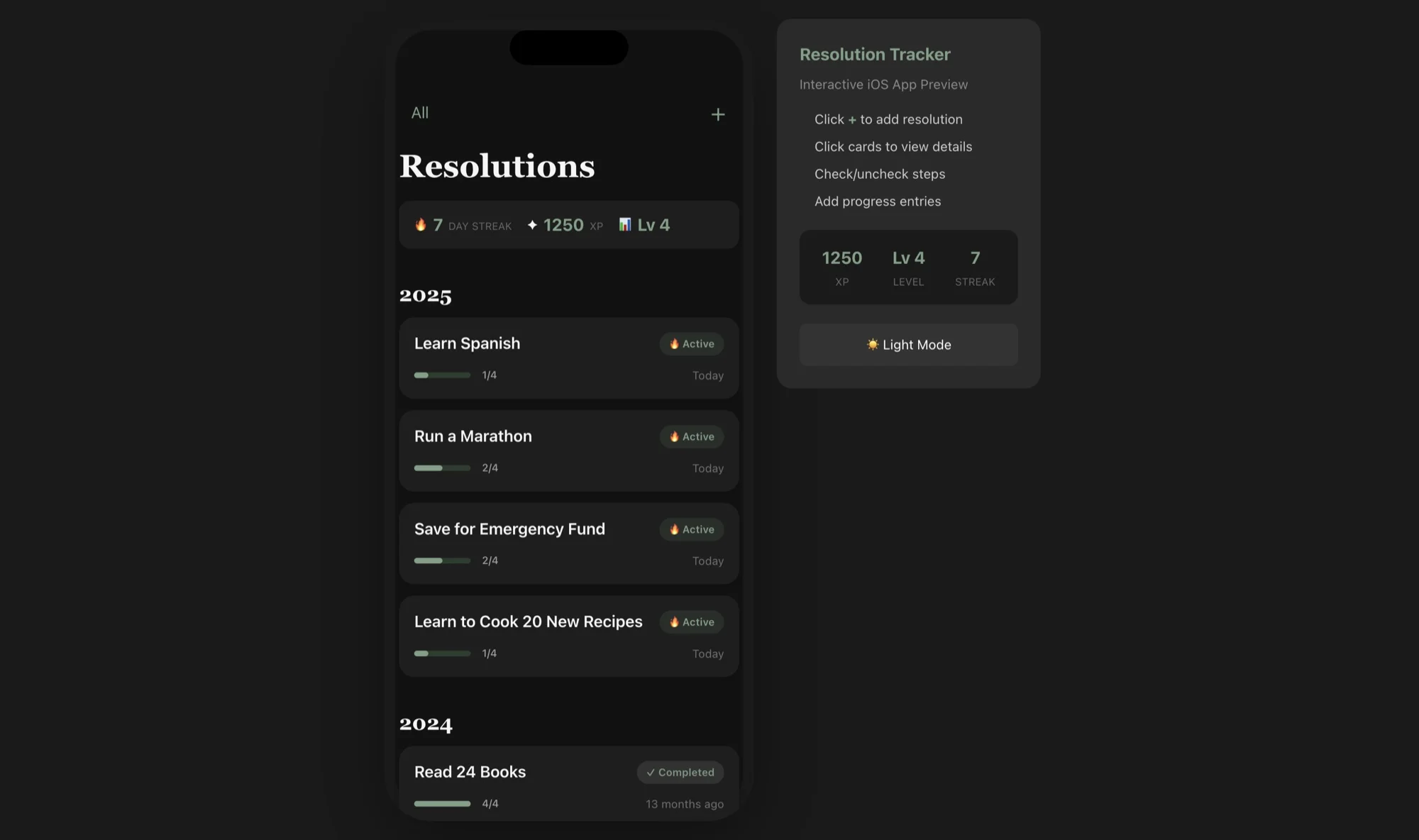
Twenty-four days ago, Resolution Tracker was an idea in a notes app. Today it's in the App Store.
No team. No contractors. No investors. Just me, Claude Code, and a very specific workflow that's completely changed how I build software.
Here's exactly how it happened.
The Stack
Every decision optimized for solo speed:
Expo + React Native - Write once, run on iOS and Android. I focused entirely on iOS for launch, but the Android build is basically free when I'm ready.
Supabase - Authentication, database, and real-time subscriptions without managing infrastructure. Their free tier is generous enough for MVP validation.
Superwall - Subscription management that handles the App Store complexity. RevenueCat is the other option, but Superwall's paywall builder saved me days.
Claude Code - The actual game-changer. I estimate it wrote 80% of the implementation code. Not copy-paste from docs - actual feature implementation from natural language descriptions.
The Timeline
Week 1: Foundation
- Day 1-2: Project setup, Supabase schema, auth flow
- Day 3-4: Core data models (resolutions, steps, progress)
- Day 5-7: Basic UI screens, navigation structure
Week 2: Features
- Day 8-9: Gamification system (XP, levels, streaks)
- Day 10-11: Statistics and progress visualization
- Day 12-14: Onboarding flow, paywall integration
Week 3: Polish
- Day 15-16: UI refinement, animations
- Day 17-18: Bug fixes, edge cases
- Day 19-21: App Store assets, submission
Three weeks. 15-20 hours per week. About 50 hours total.
The Claude Code Workflow
Here's how I actually use Claude Code for app development:
1. Describe the feature, not the implementation
Bad: "Create a React Native component with useState for XP tracking"
Good: "I need users to earn XP when they complete steps. 10 XP per step completed, 5 XP per daily log, 100 XP for completing an entire resolution. Show a level based on total XP (every 500 XP = 1 level). Store this in Supabase and show it in the profile."
Claude figures out the implementation. I describe the product.
2. Work in small, complete chunks
Each Claude session handles one complete feature. Not "start the XP system" but "build the complete XP system including database schema, calculation logic, and UI display."
Small chunks mean less context confusion and easier debugging.
3. Review, don't rubber-stamp
Claude makes mistakes. Especially with:
- Supabase RLS policies (always double-check security)
- Complex state management (sometimes overcomplicates)
- iOS-specific behaviors (less training data than web)
I read every line before it ships. But reading is faster than writing.
The operational layer nobody talks about
The build is not the hard part. The part that slows most solo builders is the ops layer: App Store Connect setup, RevenueCat or Superwall mapping, subscriptions, product IDs, screenshots, and metadata.
That is where AI actually helped me the most. Not by writing code, but by removing friction. I used Claude in Chrome to step through App Store Connect and RevenueCat updates, verify package IDs, and sanity‑check flows before submitting.
It is boring work, but it is the difference between a project and a product. Once you get the ops layer right, everything else can move faster.
The costs (kept simple)
I am intentionally avoiding fake precision here. The real takeaway is that a solo builder can now ship with a small, predictable stack:
- Expo or native tooling
- Supabase or a lightweight backend
- A subscription layer (Superwall or RevenueCat)
- Claude for implementation and ops
The cost is not zero, but it is within reach for a solo builder. The bigger cost is time and attention, which is why a tight workflow matters.
What I'd Do Differently
Start with the paywall sooner. I built the full app, then added monetization. Should have validated willingness-to-pay earlier with a simpler MVP.
Test on device daily. Simulator is fine, but physical device testing caught gesture issues that never showed in the simulator.
Set up analytics immediately. I added Mixpanel in week 3. Should have been day 1. Flying blind for two weeks meant guessing at user behavior.
The release checklist that saved me
Before I submit any build now, I run a short checklist:
- App Store metadata matches the actual UI
- Screenshots reflect the current build
- Subscription products map cleanly to RevenueCat
- Privacy URLs resolve and are accurate
- The onboarding flow matches the store description
Most failed submissions are not technical. They are mismatches between what you say and what you ship.
The post‑launch reality
Once the app is live, the work changes. It becomes less about features and more about stability:
- bug fixes that affect onboarding
- copy updates that reduce churn
- small UX changes that lift retention
Launch is not the finish line. It is the point where the real feedback loop begins.
What I would automate next
The next thing I would automate is the boring ops layer: App Store Connect updates, RevenueCat package validation, and screenshot capture. Those steps consume time and produce the most avoidable errors.
If those steps become repeatable scripts, the entire release cycle becomes lighter. That is the real leverage for a solo builder.
Why the small scope mattered
Resolution Tracker shipped because the scope was tight. I did not add social features, community, or complex analytics. The product is a habit loop, and the loop is the product.
Every extra feature would have diluted that loop. Keeping it small made the app clearer and the build faster.
Key Takeaways
-
The barrier collapsed. Solo iOS development used to require years of Swift experience. Now it requires clear product thinking and the ability to describe what you want.
-
AI writes code, you make decisions. Claude handles implementation. You handle architecture, UX, and "should this feature exist at all?"
-
Ship fast, iterate faster. Three weeks to v1 means I can respond to real user feedback instead of guessing in a vacuum.
-
The tools are mature. Expo, Supabase, Superwall - these aren't toys. They're production infrastructure that happens to be accessible to solo builders.
If you've been sitting on an app idea, there's never been a better time to build it.
The playbook works. I just proved it.
Related Guides
- How to Ship AI Products Fast — The 2-3 week playbook
- AI MVP in One Week — Day-by-day plan for rapid shipping
- Solo Founder AI Stack — Compete with agencies
Related Stories
- Shipping AI Products in Weeks — The philosophy behind fast shipping
- Resolution Tracker: From Idea to Published with AI — The full build log
Learn More
For a complete shipping system, join the AI Product Building Course.
Building something? I'd love to see it. Reach out on LinkedIn or Twitter.