Building 3 App Store CLIs
The long-form story behind gplay-cli, cws-cli, appstore-cli, and bleeps - and why boring releases matter.
Automation is not a nice to have anymore. It is the difference between shipping and babysitting dashboards.
I got tired of clicking through three different stores for the same routine tasks. Google Play Console, Chrome Web Store, and App Store all had their own flows and none of them talked to each other.
So I built my own control panel: CLIs.
This is the story behind gplay-cli, cws-cli, appstore-cli, and bleeps, and why I think internal tools are the real force multiplier for small teams.
The pain I wanted to remove
Every store has its own UI, its own quirks, and its own workflow. That is fine once. It is not fine every release.
I was doing the same steps over and over: upload builds, swap screenshots, update metadata, check review status. Each store had its own version of the same process.
The repetition was not just annoying. It was slow. It pulled me out of flow every time.
Why a CLI beats a dashboard
A dashboard is good for one off tasks. A CLI is good for repeatable tasks.
When the workflow is encoded, it becomes reliable. I can run the same command locally or in CI and get the same result. That is the whole point. If I have to click it twice, it should be a command.
A release day before and after
Before the CLIs, release day was a checklist of tabs. Open the store. Upload the build. Update the copy. Check the status. Repeat for the next store. It was busy work disguised as shipping.
After the CLIs, release day is a command. The build is uploaded, the metadata is synced, and I get a clear result in the terminal. It is faster, but more importantly it is consistent. Consistency reduces errors, and errors are expensive.
That shift changed how I feel about releases. They went from a chore to a routine.
Designing the command surface
The hardest part was deciding what the CLI should expose. I did not want a mirror of the dashboards. I wanted a small set of commands that matched the tasks I actually do.
That meant focusing on the boring, repeatable actions and ignoring the edge cases. The edge cases can stay in the UI. The CLI handles the 80 percent that happens every time.
Safeguards and predictability
Automation is only useful if it is safe. I built the tools to be explicit. Clear prompts. Explicit flags. Output that tells you exactly what happened.
I would rather have a CLI that is slightly verbose than one that hides its actions. Trust comes from transparency.
The tools
- gplay-cli for Google Play Console management
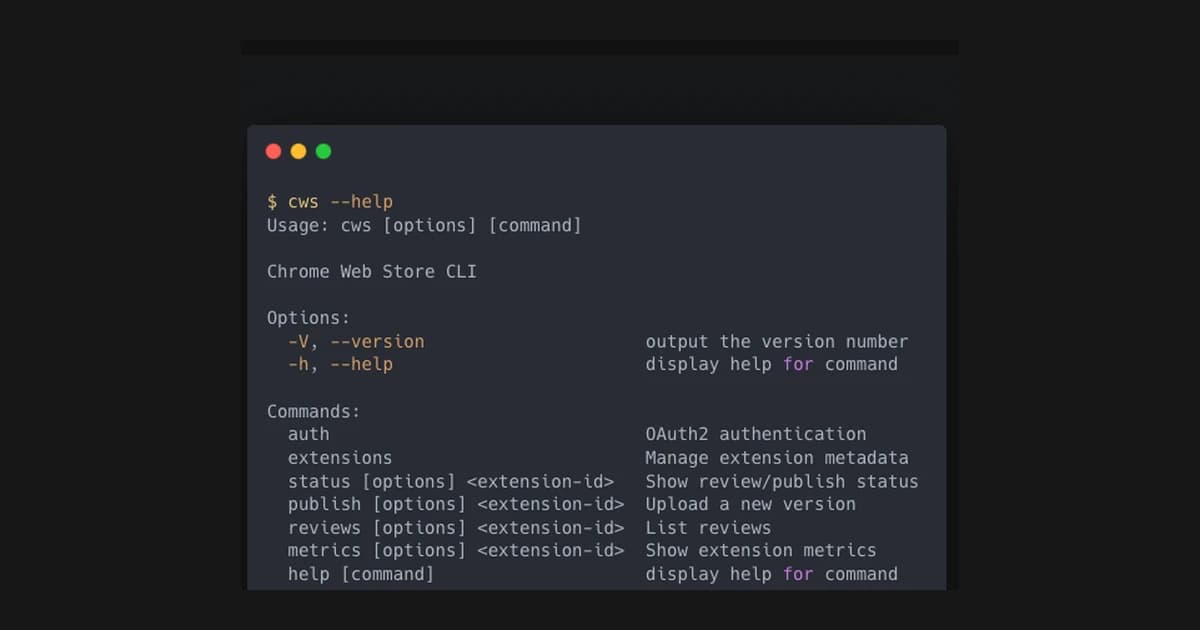
- cws-cli for Chrome Web Store publishing
- appstore-cli for App Store management
- bleeps, a procedural 8 bit audio library to keep the toolbox fun
All four live on my GitHub. Open, scriptable, composable.
What the CLIs actually do
They cover the repetitive tasks that slow me down:
- Releases and status checks
- Metadata updates
- Screenshot swaps
- Repeatable workflows across stores
The dashboards still exist. They just are not the source of truth anymore.
Why open source matters
I put the tools on GitHub because I want them to be useful beyond my own workflow. Open source keeps me honest. It forces me to document, to clean the interfaces, and to think about edge cases.
It also means other people can build on top of the work. That is the whole point of tooling. You build it once and it helps more than one person.
How I built them
I started with the tasks I do every release. That list became the initial command set.
Each tool wraps the store APIs with a consistent interface. The goal is not to rebuild the dashboard. The goal is to make the common tasks fast, scriptable, and predictable.
I also kept the output clean. A CLI should tell you exactly what happened, not force you to decode vague logs.
Consistency across stores
Every store has different naming, different flows, and different assumptions. The CLIs flatten that. I can use the same verbs across stores. Publish. Update. Check status. That consistency saves mental energy.
It also reduces mistakes. When the shape of the command is the same, the risk of clicking the wrong thing goes down. You do not have to relearn a workflow every time you ship.
CI integration
The tools were built to run in the terminal and in CI. That means predictable output, clear exit codes, and a structure that plays well with scripts.
This is where the leverage really shows. A release can happen as part of a pipeline, not as a manual event. The work is the same. The friction is lower.
Automation as a culture
The bigger shift is mental. When you start automating, you stop accepting manual work as a default.
You start asking different questions. Why am I doing this by hand? Why is this not a script? That mindset compounds. It changes how you operate across everything else you build.
Why bleeps sits next to the store tools
Automation can get sterile. Bleeps keeps the toolchain playful and gives me a tiny audio engine for experiments.
It might look out of place next to store CLIs, but it is the same mindset. Build the tools that match your brain and your workflow.
The compounding effect
Once the workflow is encoded, you stop thinking about it. That frees attention for the work that actually matters.
This is the part people underestimate. Automation does not just save time. It removes decision fatigue. It keeps you in flow.
Make releases boring
Boring releases are a good sign. They mean you trust the system. They mean you are not praying that the last manual step works.
The CLIs are designed to make releases boring. The fewer surprises, the more attention you can put on the product itself. Shipping should feel like a button, not a ceremony.
The small tool philosophy
I do not build tools because I love tools. I build them because I hate friction. A small tool that saves five minutes every week is a gift to your future self.
This is why internal tooling is so powerful. It compounds quietly. You do not notice it in a single day, but you feel it over a year.
What broke and what I learned
Not everything worked on the first try. Some API edges were messy. Some store workflows were undocumented. I had to add retries and clearer error messages.
Those failures were useful. They taught me where the real complexity lives. It is not in the commands. It is in the states the stores can be in.
That is why the CLIs are valuable. They encode those edge cases once instead of forcing me to rediscover them every release.
How I decide what to automate
I automate anything that meets three tests. It happens often. It is annoying. It is easy to make a mistake when you do it manually.
If it is rare, I leave it in the UI. If it is complex, I build a thin wrapper and keep the edge cases explicit. The goal is not to automate everything. The goal is to remove the boring parts that slow me down.
That mindset keeps the toolset small and useful. It also keeps me honest about what actually deserves automation.
The lesson I keep relearning
Building internal tools is one of the highest leverage things you can do. The time you spend automating the boring parts comes back every single day.
You do not need a huge team to get this leverage. You need the willingness to build the tool that you wish already existed.
If you are solo, tools are your team. They do the repetitive work, keep your process consistent, and let you focus on the parts that only you can do. That is how a small setup punches above its weight.
What I would do next
I want to add more consistency across the CLIs. Shared config, shared output formats, and tighter integration with CI.
The goal is to make releases boring. If the release is boring, it is reliable.
I also want to make onboarding for the tools easier. Clear install steps, better docs, and a simple getting started path. If the tools are hard to adopt, they do not get used.
Internal tools are a quiet moat. They make you faster, more consistent, and harder to outpace. You do not feel it in a day, but you feel it across a year of releases. They are boring to build and priceless to have. That is why I keep investing in them. The ROI is obvious in hindsight always. Worth it every time.
The question I keep asking
What is the last internal tool you built that changed how you work?
Related Guides
- CLI Automation Guide — Practical automation with gog, oracle, and qmd
- Solo Founder AI Stack — The lean automation stack
- Overnight AI Builds Guide — Automate overnight work
Related Stories
- Building 3 App Store CLIs — The shorter version
- Automating the iOS Simulator — Another CLI automation story
Learn More
For a complete automation system, start with AI Automation Fundamentals.
Amir Brooks
Software Engineer & Designer